
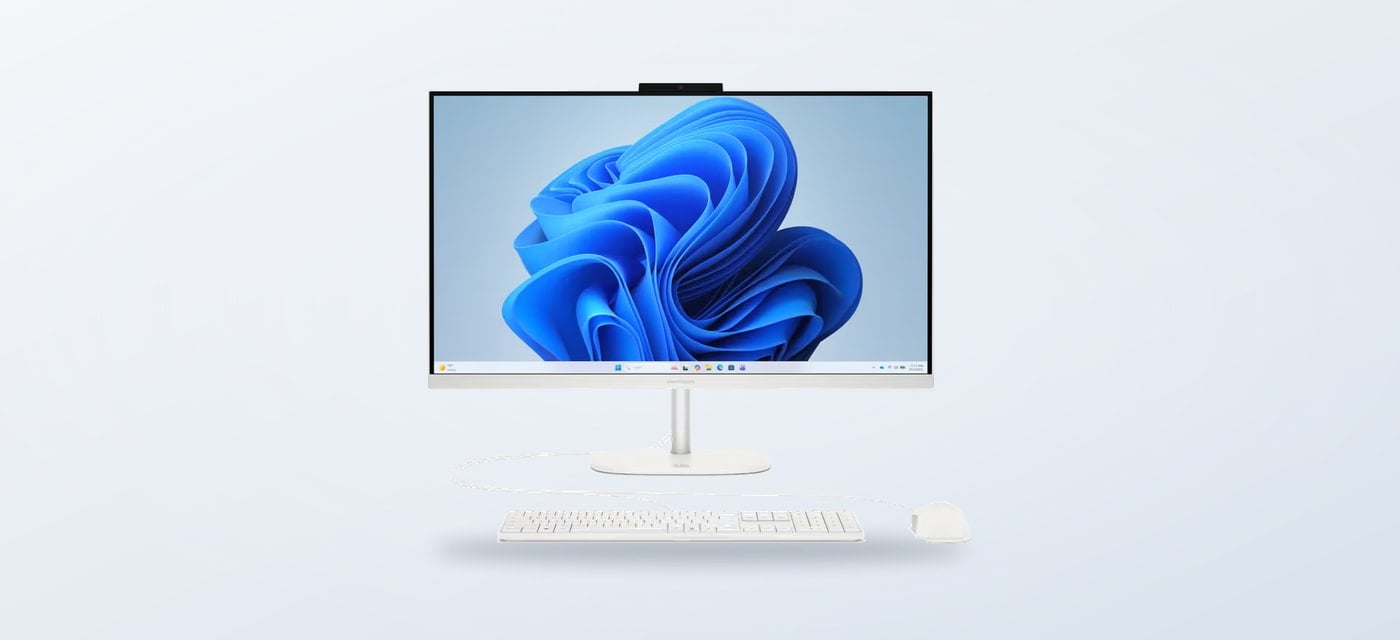
Spring often brings a small shift in how a home is used: more daylight at the desk, a renewed appetite for sorting paperwork, and a few more tasks that move between rooms. If a computer setup is part of that reset, the useful question is less about a seasonal feature and more about which shape of PC fits the routine.
We reviewed the current product information on the Italian HP Store to map out a few concrete home-workspace options. The range spans all-in-one desktops, a conventional tower and a portable notebook, with peripherals and printers alongside them.
When you shop through the links in this article, the retailer may pay us a commission. Your price stays the same.
The short version
- HP 24-cr0035nl: an all-in-one with Intel Core i5-1335U, 8 GB RAM and integrated Iris Xe graphics.
- HP OmniStudio 27-cv0002nl: a 27-inch all-in-one shape for a fixed desk; confirm its precise configuration on the listing.
- HP OmniDesk M02-0020nl: a tower with Intel Core i5-14400, 16 GB RAM and integrated UHD graphics.
- HP 250 G10: a 15.6-inch portable notebook with Intel Core 5 120U and 16 GB RAM; the listing says the charger is not included.
- Choose around available space, screen preference and whether the computer needs to travel between rooms.
Start with the room
A seasonal home-office refresh can be as simple as clearing the desk and deciding what should stay connected to it. An all-in-one keeps the computer and screen together, which reduces the number of boxes and cables to organise. The HP 24-cr0035nl is listed with a 13th-generation Intel Core i5-1335U, 8 GB of memory and Iris Xe graphics. That makes it a plausible everyday home choice for documents, browsing and general productivity, while memory and graphics remain more modest than a workstation configuration.
The HP OmniStudio 27-cv0002nl takes the same combined-computer approach with a larger 27-inch display. It may suit a desk where viewing room matters more than portability, but screen size alone does not establish whether it is right for photo work or demanding creative software. Check the selected configuration, resolution and connections on the store page before deciding.
For the lighter end of the range, we also found HP’s HP 250 G10. Its 15.6-inch notebook format, Intel Core 5 120U and 16 GB RAM give it a more flexible role for a shared home or study space. The product listing explicitly notes that a charger is not included, so check what is in the box and whether you already have a compatible one.

Compare the formats
These choices solve different space problems. A larger all-in-one consolidates the desk, while a tower lets the monitor and computer occupy separate spots. A notebook takes up less permanent space and can follow a person from desk to table. The following table focuses on the product details visible in HP’s Italian listings; it is a starting point, not a performance ranking.
| Option | Listed details | Best fit | Check first |
|---|---|---|---|
| HP 24-cr0035nl | 24-inch all-in-one; Core i5-1335U; 8 GB RAM | One-piece family or study desk | Memory needs and port selection |
| HP OmniStudio 27-cv0002nl | 27-inch all-in-one format | Fixed desk with a larger screen | Exact screen and component configuration |
| HP OmniDesk M02-0020nl | Core i5-14400; 16 GB RAM; UHD graphics | Separate tower and monitor layout | Desk footprint and display choice |
| HP 250 G10 | 15.6-inch; Core 5 120U; 16 GB RAM | Work that moves around the home | Charger is not included, per listing |
Use a short room-and-routine checklist before comparing specifications. It helps avoid paying attention to features that will not change everyday use.
- Measure the desk depth and note whether a separate monitor already exists.
- Decide whether the PC will stay in one place or move between rooms.
- List the regular tasks, then compare processor, memory and graphics requirements.
- Check included accessories, connections and warranty terms on the specific listing.

Build a calmer setup
The PC is only part of a spring desk reset. HP’s Italian shop also lists the HP 5 Pro 23.8-inch monitor, an option to consider when a tower needs a separate display or a notebook would benefit from a larger fixed screen. The listing describes a Full HD panel with a height-adjustable stand and a 100 Hz refresh rate. Compare those details against your current screen before adding another display.
For paper-heavy household tasks, the HP ENVY 6532e is a listed all-in-one printer. It puts printing and scanning in one device, so it can be useful for forms, school sheets and occasional home documents. A printer adds its own ongoing supplies decisions, though, so review cartridge compatibility and any optional services on the Italian store page rather than assuming the device cost tells the whole story.
Small accessories can matter more than a spec bump if the workspace feels cluttered. The HP Store lists keyboards, mice, hubs and other peripherals. Before adding one, check the connection type and the devices it needs to serve. The best seasonal change may simply be moving a screen to a better-lit angle or keeping charging and printing supplies in one reachable place.

Where each fits
A tidy desk
- The all-in-one format keeps the core computer and display together.
- The 24-cr0035nl listing gives concrete memory and processor details for everyday tasks.
- A larger OmniStudio screen can make a fixed workstation feel more open.
Room to move
- The HP 250 G10 is the portable choice among these named options.
- The OmniDesk tower separates the computer from the monitor and leaves display choice open.
- Confirm the charger, display, cables and other essentials before checkout.
Those trade-offs are more useful than treating every new season as a reason to replace a working computer. If a device already handles the household workload, a monitor position change or simpler cable arrangement may be enough. If you do need a new machine, compare the current Italian store listings for the exact configuration and included items.

Printing and display are separate additions to consider after the core computer is chosen, rather than reasons to buy a larger system.

Summing up
For a spring home workspace, choose by layout first: the HP 24-cr0035nl is a straightforward all-in-one, the OmniStudio 27 gives a larger fixed-screen format, the OmniDesk M02 separates tower and display, and the HP 250 G10 travels more easily. Our recommendation is to shortlist the format that suits the room, then verify memory, connections and included accessories on its product page.
The limitation is that configurations and stock can change, and product names alone do not settle suitability for demanding creative or gaming work. The Italian HP Store pages are the place to check the current specification before choosing.