
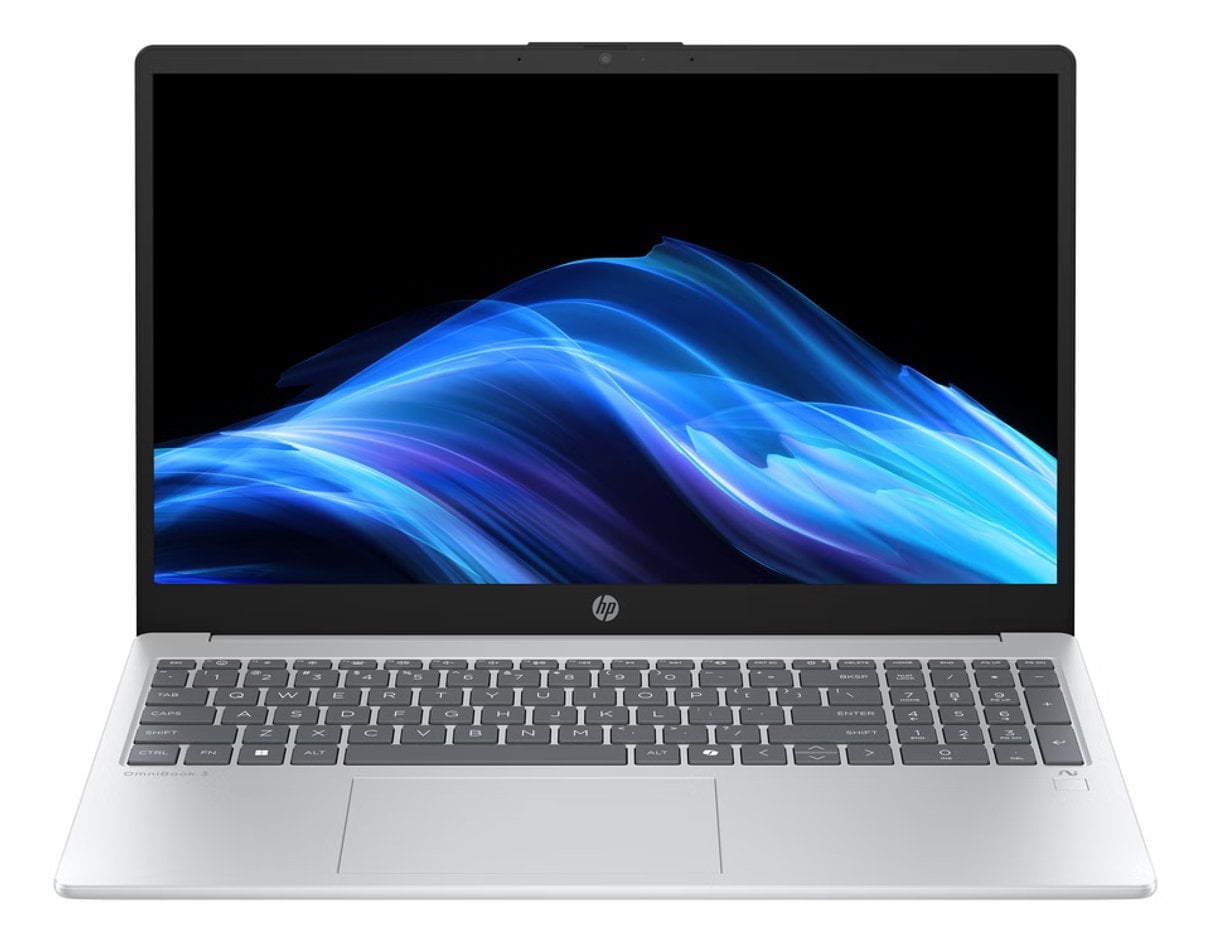
Buying direct from a computer brand can simplify product research, but a broad catalogue does not automatically make every listing easy to compare. We reviewed the Italian HP Store catalogue and its published product and support information to see where the official shop helps, and where shoppers still need to do their own checking.
The range includes laptops, desktop PCs, monitors, printers and accessories, so it can cover more than one home or work need in one place. The practical question is whether category choice, model detail and after-sales information add up to a good direct-buy experience.
When you shop through the links in this article, the retailer may pay us a commission. Your price stays the same.
The short version
- The catalogue spans laptops, desktops, monitors, printers and accessories.
- HP OmniBook 3 15-fn0001nlx and HP OmniBook 5 14-hm0002nl show how model families split by size and configuration.
- HP ENVY 6532e is an all-in-one printer, while Smart Tank models serve shoppers looking for a refillable ink system.
- Category filters and model specifications help narrow options, but configurations, availability, delivery and returns should be checked on the exact listing.
A wide catalogue
The store’s strongest practical advantage is breadth. Its top-level navigation separates laptops from desktops, with dedicated areas for monitors, printers, supplies and accessories. Within some categories, shoppers can filter by audience or form factor, including home, business, gaming and convertible laptops. That structure helps when you already know the kind of device you need.
Product pages make the range more tangible. The HP OmniBook 3 15-fn0001nlx is a 15-inch class laptop, while the HP OmniBook 5 14-hm0002nl is a 14-inch option. Those distinctions can help shoppers start with portability and screen size before weighing processor, memory, storage and display configuration on each page.

Printing is not an afterthought: the Italian catalogue includes compact all-in-ones and tank-based models. The HP ENVY 6532e combines printing, scanning and copying in one device. The HP Smart Tank 7305 is another concrete route for households that prefer a refillable ink tank format. These are different ownership choices, so compare the supplies approach and the tasks you expect to handle, not just the machine’s headline features.
Useful buying tools
Because the shop is organized around product families, it can keep research and purchasing close together. A buyer can move from a laptop category to the model listing, then read the configuration details there. Similarly, printer categories distinguish inkjet, laser and tank options, while the store also lists paper, toner and cartridges. That makes the source useful when compatibility or a matching accessory matters.

The store also publishes delivery information, order tracking and return guidance, plus account and customer-care routes. This is valuable before checkout: a direct channel is most useful when the buyer can find both the device and the process for resolving a delivery or returns question. The pages provide that starting point, although shoppers should read the current terms for their specific order.
- Choose a category before comparing product families.
- Check the complete model code and configuration on the product page.
- Confirm ports, display details, included accessories and compatible supplies.
- Review delivery and returns information before placing an order.
Where it has limits
A large manufacturer catalogue can still create comparison work. Similar names may conceal meaningful changes in display, memory, storage or processor, and availability can vary by exact configuration. The category filters are a good first pass, but they cannot replace checking the specification table and included items on the actual listing. The same applies to printers: tank and cartridge systems have different supply routines, which matter over time.
Direct purchasing also concentrates the journey inside HP’s ecosystem. That is convenient for customers who want official model information and related supplies in one place, but it gives less context about how a configuration compares across the wider market. We found the store strongest as a source of official options and specifications, rather than as a complete substitute for independent model comparison.

What works well
- Broad product coverage across home computing, work, printing and peripherals.
- Filters for category and form factor make initial discovery more direct.
- Official product pages put model specifications beside the purchase route.
- Support pages cover delivery, tracking and returns in one retailer ecosystem.
What to weigh
- Lookalike model names make checking the full configuration essential.
- The catalogue is broad, so choosing among similar options still takes research.
- Product availability and included specifications can differ by listing.
- Official listings do not provide the whole-market context of an independent comparison.
Who benefits most
The HP Store suits shoppers who have a reasonable idea of their device type and want to compare official configurations, accessories and support details together. It is particularly practical for existing HP owners matching supplies or peripherals, and for buyers narrowing a laptop by screen size or use category. A household choosing between an all-in-one printer and a tank model can also use the catalogue to understand the formats.
It is a weaker fit for someone who wants a single, independent verdict across competing manufacturers before deciding. In that case, use HP’s specifications as the source of truth for its own models, then compare those requirements separately. Before checkout, revisit the current configuration and availability, and read the store’s delivery and return terms for the selected item.

For a compact household setup, HP also lists the DeskJet 2921, a distinct entry in its all-in-one printer range.

For occasional household printing, a compact all-in-one such as the DeskJet family may be a better match than a higher-capacity format; confirm the exact model’s functions and supply compatibility on its page.
Summing up
Our review finds the Italian HP Store a useful direct source when official model details, category filters and the related support journey matter. Its range covers everyday computing and printing needs, and examples such as the OmniBook 3, OmniBook 5 and ENVY 6532e show the breadth. The main limitation is that buyers still have to compare exact configurations and seek outside context when judging competing brands.
We recommend it for readers who have narrowed their needs and are ready to verify the specification, included items and order terms on the precise listing. Treat the store as a strong official catalogue and checkout option, not a shortcut around product research.