
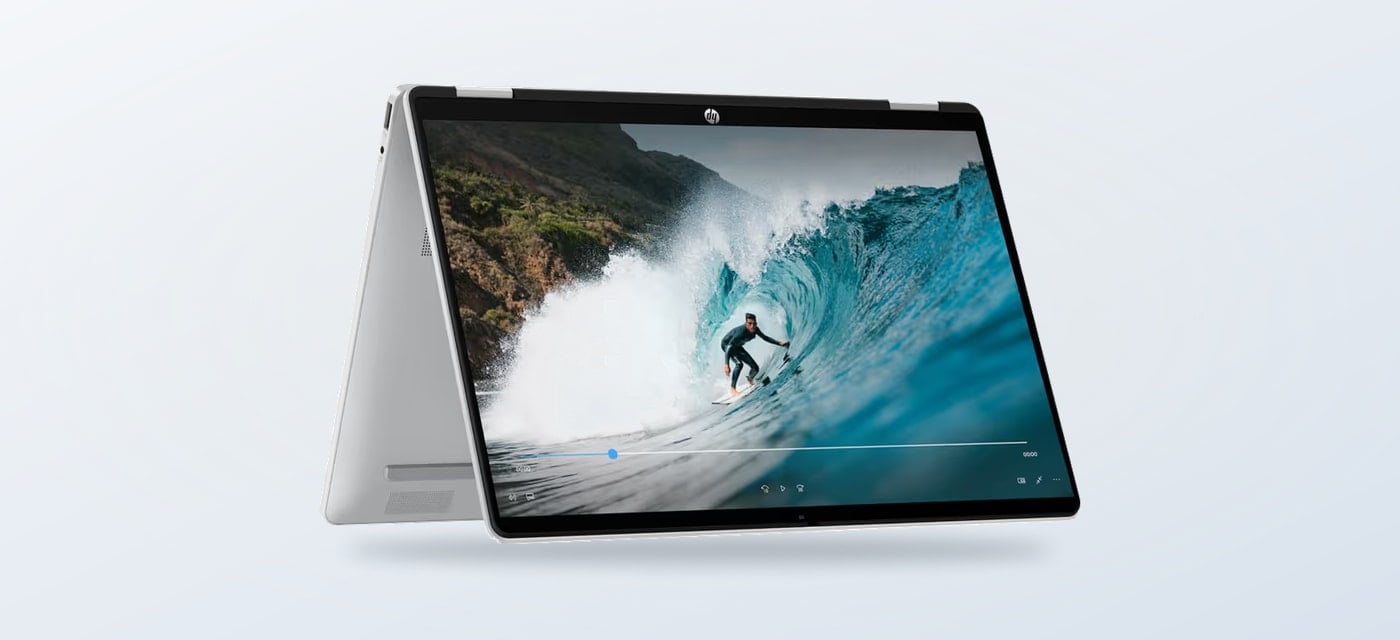
Choosing a laptop for classes, browsing and everyday home tasks often means deciding whether a standard notebook is enough or whether a touchscreen convertible earns its place. The HP OmniBook 5 Flip 14-fp0023nl is HP Store Italy’s answer for people who want one machine to work in more than one position.
We reviewed the Italian product listing and its stated configuration. The central question is practical: does the 360-degree hinge add useful flexibility, and are the listed components a sensible fit for your routine?
When you shop through the links in this article, the retailer may pay us a commission. Your price stays the same.
The short version
- HP OmniBook 5 Flip 14-fp0023nl combines a 14-inch 2K touchscreen with a 360-degree hinge.
- HP lists an Intel Core 7 150U processor, 16 GB RAM and 512 GB SSD for this configuration.
- It suits study, browsing and shared home use better than demanding graphics workloads.
- The product page says the charger is not included, so check the box contents before ordering.
One screen, two modes
On the listing, the main distinction is not a benchmark claim but the form factor. The touchscreen rotates through 360 degrees, letting the laptop switch from a conventional keyboard setup to a tent or tablet-style position. That can be useful for reading lecture notes, following a recipe on a counter, or sharing a video without keeping the keyboard between the viewer and the screen.
The HP OmniBook 5 Flip 14-fp0023nl product page describes a 14-inch display with 2K resolution at 1920 by 1200. The taller 16:10 format gives documents and webpages more vertical room than a conventional widescreen panel. HP also lists a backlit keyboard, which is handy for evening study, though the screen remains the feature that most changes how the device can be used.

Touch input is most valuable when you will actually use it. If your work is mostly typing at one desk, a regular notebook can be simpler and may cost less for similar memory and storage. If you often annotate, scroll by touch or reposition the device around a room, the convertible design has a clearer purpose. HP’s OmniBook 5 Flip listing makes that flexibility explicit.
Everyday specification
The listed configuration pairs an Intel Core 7 150U processor with 16 GB of RAM and a 512 GB SSD. That everyday configuration is aimed at multitasking: documents, browser tabs, video calls and typical study software. Storage is enough for a working collection of files, though people with large media libraries may want to plan for external storage or cloud space.
It is worth keeping the intended workload in view. HP identifies integrated Intel graphics, so this is not a graphics workstation we would recommend for sustained 3D rendering or high-end gaming. For those priorities, compare a graphics-focused machine and check the software’s own requirements. For portable general use, the specification is balanced around responsiveness and everyday apps. Readers comparing compact portability with the convertible format can also view the HP OmniBook 7 Aero 13 product details, whose smaller screen and lightweight positioning point to a different kind of commute.

HP’s page also states that the included manufacturer warranty is three years and that the keyboard is backlit. Warranty terms and service availability can vary by location, so confirm the current Italian listing details before checkout. For people who travel between rooms or desks, those support details matter alongside the hardware. Review the HP OmniBook 5 Flip listing for current information, and compare the OmniBook 7 Aero specifications if carrying weight matters more than a folding screen.
Buying from HP Store
Buying directly from the regional store keeps the product page, availability and support information together. HP lists the selected model as available, but stock and delivery estimates can change. The site presents the full specifications alongside the order controls, and it also surfaces compatible accessories, including a USB-C dock, protective sleeve and mouse.
One practical caveat deserves attention: the model title explicitly says charger not included. That could be fine if you already have a compatible USB-C charger, but do not assume that the laptop arrives ready to plug in. Check power requirements and box contents on the listing, then factor any needed accessories into the total. The Italian HP OmniBook listing can also show configuration or availability differences between similar model numbers, so match the exact suffix before ordering.

- Confirm the full model code ends in fp0023nl.
- Check the current availability and delivery estimate shown for your location.
- Review the included charger and compatible power options.
- Decide whether the touchscreen and hinge will see regular use.
That quick check helps separate the useful convertible features from extras that may not matter in your setup.

The direct-store experience is most useful when you arrive knowing which configuration you want. Read the port list and full specifications if you rely on a particular monitor, headset or classroom connection. The product detail page is the place to reconcile those needs with the actual item code. Check the current HP OmniBook 5 Flip 14 configuration, return policy and delivery details before you commit, especially when buying a laptop for a specific term or travel date.

Where it fits
The useful side
- Flexible hinge supports laptop, tent and tablet-style positions.
- 2K touch display and 16:10 proportions suit reading and document work.
- 16 GB memory and SSD storage are a practical everyday pairing.
- HP lists a three-year warranty for this Italian-store model.
The trade-offs
- Integrated graphics are not aimed at demanding gaming or 3D work.
- The charger is not included with the listed configuration.
- The 2-in-1 hinge adds value only if touch and alternate positions fit your habits.
- Availability and delivery timing can shift, so confirm the page before checkout.
Summing up
The HP OmniBook 5 Flip 14-fp0023nl is a considered choice for students and home users who will use its touchscreen and folding hinge, while still needing a conventional keyboard for longer sessions. Its 2K display, 16 GB RAM and 512 GB SSD make a coherent everyday setup on paper, and the Italian product page offers direct specification and support details.
We would pass if you mainly need graphics-heavy performance or simply want the lowest-cost notebook for typing. The missing charger is the clearest buying limitation, so confirm power needs and the final configuration before deciding.