
Buying direct from a manufacturer can simplify the path from product research to checkout, but a large catalogue can also make it harder to see which device fits a real home setup. The Italian HP Store brings laptops, desktops, printers, monitors and accessories together, with product listings that let us compare different kinds of equipment in one place.
We reviewed the Italian store pages and product information, rather than testing devices. That distinction matters: this is an assessment of the shopping route and the published specifications, not a claim about day-to-day performance.
When you shop through the links in this article, the retailer may pay us a commission. Your price stays the same.
The short version
- The official Italian storefront covers laptops, desktops, monitors, printers and accessories.
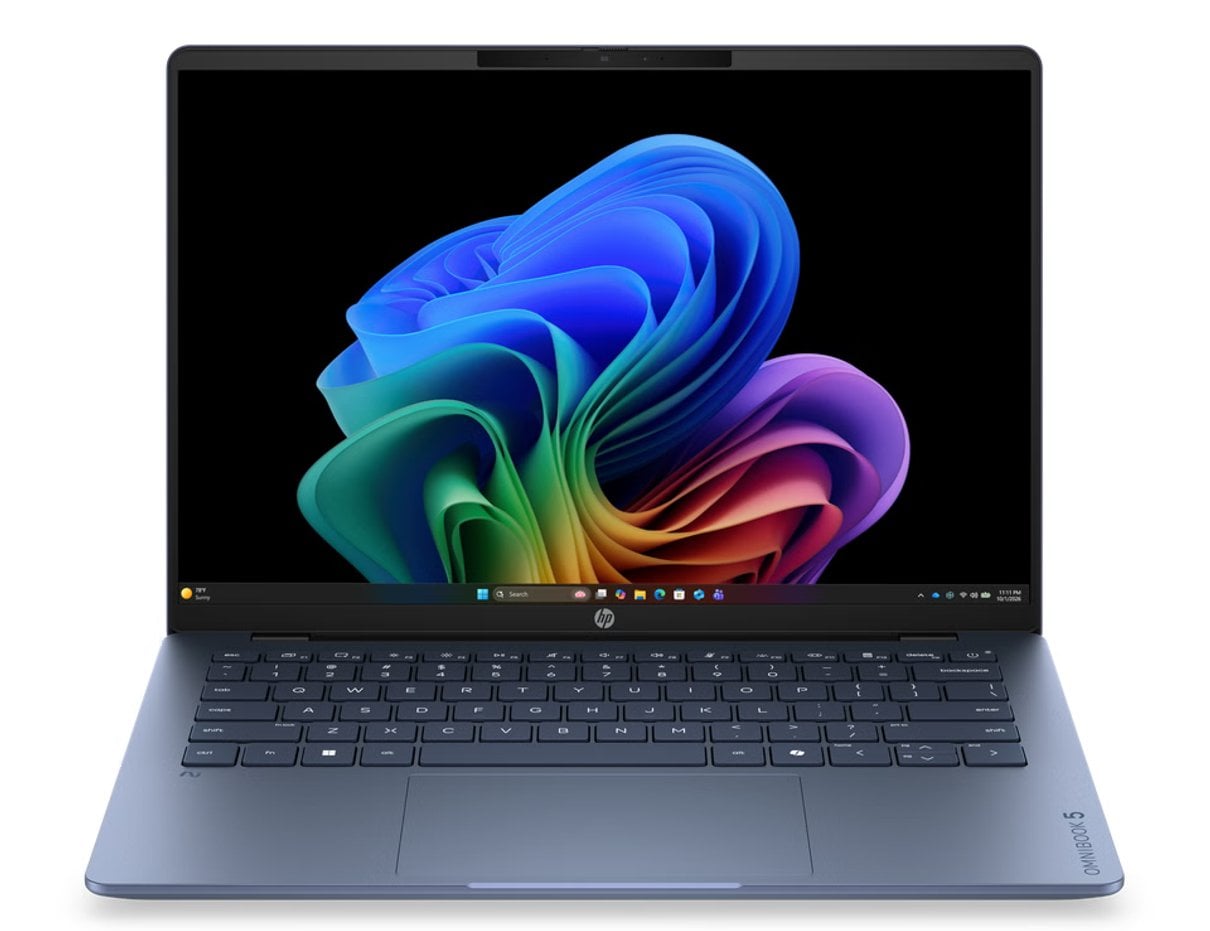
- The HP OmniBook 5 14-hm0002nl is listed as a 14-inch laptop with an OLED display and aluminium design.
- The HP OmniStudio 24-cv0001nl combines a 24-inch Full HD display with an all-in-one desktop format.
- The HP ENVY 6532e All-in-One Printer brings wireless printing, copying and scanning into a home device.
- The main trade-off is choice: compare configuration, included accessories, delivery and return terms on the Italian product pages.
Store layout
The store’s breadth is its clearest strength. Navigation separates laptops by consumer, business and gaming use, and also gives routes into form factors such as convertibles. Desktops, monitors, printers and accessories have their own category pages, so readers can start with the type of device rather than a model name. That makes category-led browsing useful when the need is clear but the exact product is not. Readers can also compare the OmniBook 5 listing after narrowing the category.
There is also practical support alongside the catalogue. The Italian site links to delivery information, order tracking, returns and refund guidance. Those pages are useful because direct buying includes the after-checkout questions too. We would still read the current terms before placing an order, especially if a delivery date or return window affects the decision.
- Start with the device category and intended use.
- Check the configuration and included items on the exact product listing.
- Review delivery, return and support details before checkout.

Three home setups
The HP OmniBook 5 14-hm0002nl is described by HP as a next-generation AI PC with a 14-inch OLED display and a slim aluminium design. That combination points toward a portable everyday computer for someone who values screen quality and a compact format. The caveat is familiar: check the exact processor, memory, storage and included charger on the Italian listing, since a family name alone does not settle configuration.
For a fixed desk, the HP OmniStudio 24-cv0001nl places a 24-inch Full HD screen and AMD processor in one chassis. The all-in-one format can reduce the number of separate components on a desk, though it also ties the computer and display together in one purchase. That makes it a more focused choice for a shared family workspace than a modular desktop setup.

Printing needs call for a different comparison. HP describes the HP ENVY 6532e as a wireless all-in-one with an automatic document feeder, colour photo and document printing, copying and scanning. The HP Smart Tank 7305, by contrast, uses a cartridge-free tank system and HP says original ink is included. That difference matters more than a broad “home printer” label: estimate how often you print and check the ongoing supply system before choosing. The store also lists the ENVY 6532e specifications alongside its multifunction features.
- Portable work: a 14-inch OmniBook configuration.
- Shared desk: an all-in-one such as OmniStudio.
- Mixed documents and photos: an ENVY multifunction printer.
- Frequent printing: compare Smart Tank capacity and refill details.

Buying details
The product pages make model-specific research possible, but the quantity of SKUs means the shopper has to do some of the comparison work. A name can cover several configurations, and promotional or availability details can change. Check the exact item code, display size, processor, memory, storage, keyboard layout and what is included. Some HP listings explicitly note that a charger is not included, so this deserves attention when comparing laptop configurations.
For a printer, factor in the ink or toner system and the kind of jobs it handles; for a desktop, consider whether the screen and computer being bundled is an advantage or a constraint. HP’s support pages add useful direct-store information, but support availability and return conditions should be confirmed for the item and destination shown at checkout. Configuration is the real comparison, not simply the product-family name.

Strengths and limits
Where the store helps
- Broad choice across computing, printing, displays and accessories.
- Filters organize products by category, audience and form factor.
- Product pages publish technical details for configuration checks.
- Delivery, order tracking and returns guidance are available from the store.
What needs a closer look
- The catalogue can feel dense when several configurations share a family name.
- Store copy and listed specifications do not replace independent performance testing.
- Included accessories and supply costs vary by product, so the listing needs a careful read.
- Availability, delivery and return details should be checked at the point of purchase.

Summing up
Our view is that HP Store is a useful direct-buy starting point for shoppers who already have a device category in mind and want official specifications plus store support in one place. Its variety suits a household comparing a portable OmniBook, a space-saving OmniStudio and a multifunction printer, rather than a reader seeking a narrowly curated shortlist.
The limitation is the research burden: model names and configurations require attention, and product pages cannot tell us how a device will feel in daily use. Compare the exact listing and current terms before making the call.